Hello everyone!
Today I thought we could discuss websites. Websites are your representation on the internet your address and potentially the first impression from your consumer. When you first start thinking about a website it can be overwhelming and overcomplicated but people forget the key features a website needs while they get caught up in the design or colour scheme.
This is not an exhaustive list instead it is a discussion of the five core aspects of a website and how you at home can monitor and develop a successful website.
Let’s get started!
1. Know the Purpose of your website!
Don’t fall into the trap of developing a website with no clear purpose your customers will be left in confusion and you will lose your clear messaging and content.
You have to ask it’s purpose first to know how to design it or if you even need a website in the first place!
Are you using it for;
Brand Development
Revenue Generation
Customer Service/Support
Once you have a key focus even if it’s all three you can build what it needs to do and say to maximise it’s effectiveness and make customers flock to your website because they have a real purpose and reason to be there!
2. Usability
Arguably the most important thing about a website is usability if people can’t use it what’s the point? You should aim for an easy to navigate website with clear sections that will be relevant to users.
Good User Experience or UX is how the user interacts with and experiences the site based on; utility, ease of use and efficiency. An example could be using conventional logical features such as ‘like’ and ‘share’ buttons which are extremely popular now with social media driving the latest functions for websites. If you have a high UX score your website will be higher ranked in the search engine and users will have an overall better quality experience with your brand… so what do you have to lose!
Everything on your website should work every link and page should load smoothly without issues, including external links to your website that you may share on social media platforms or through email. When you do have broken links it can actually impact your search ranking on engines like google who will demote your website and make it more difficult for you to appear in the higher ranking pages that feature on the first page.
You can actually view a report of your website which rates you on; Performance, Accessibility, Best Practices and SEO. It also offers alternatives to improving your score in each area and a full breakdown of every component.
So it is extremely useful and is easy to do! I have screenshot the process below!
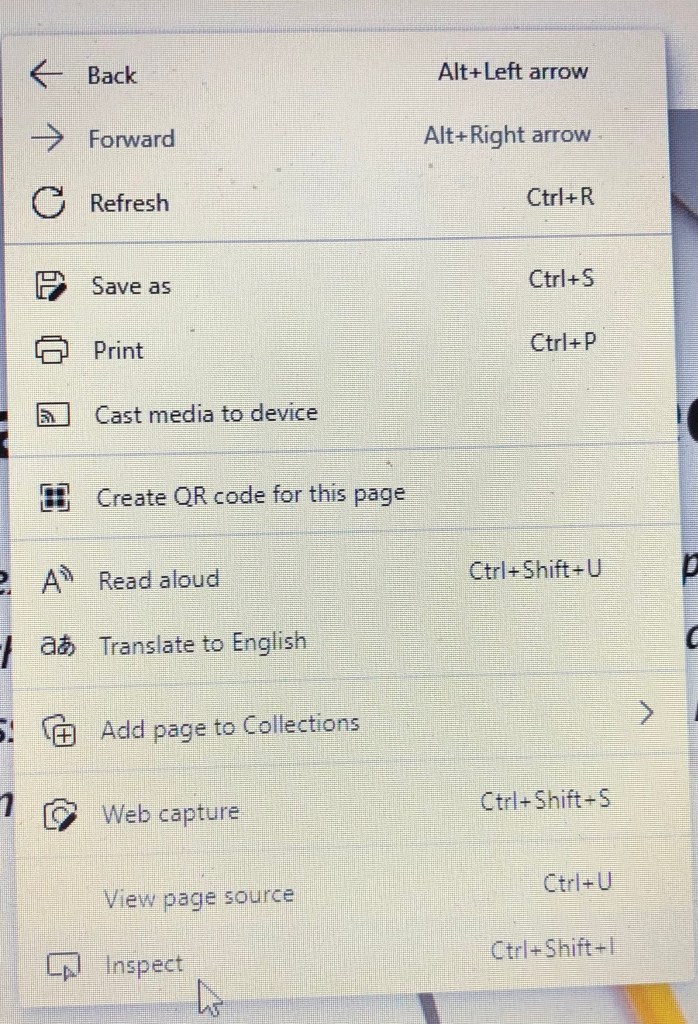
1. Right click anywhere on the webpage – select ‘inspect.’
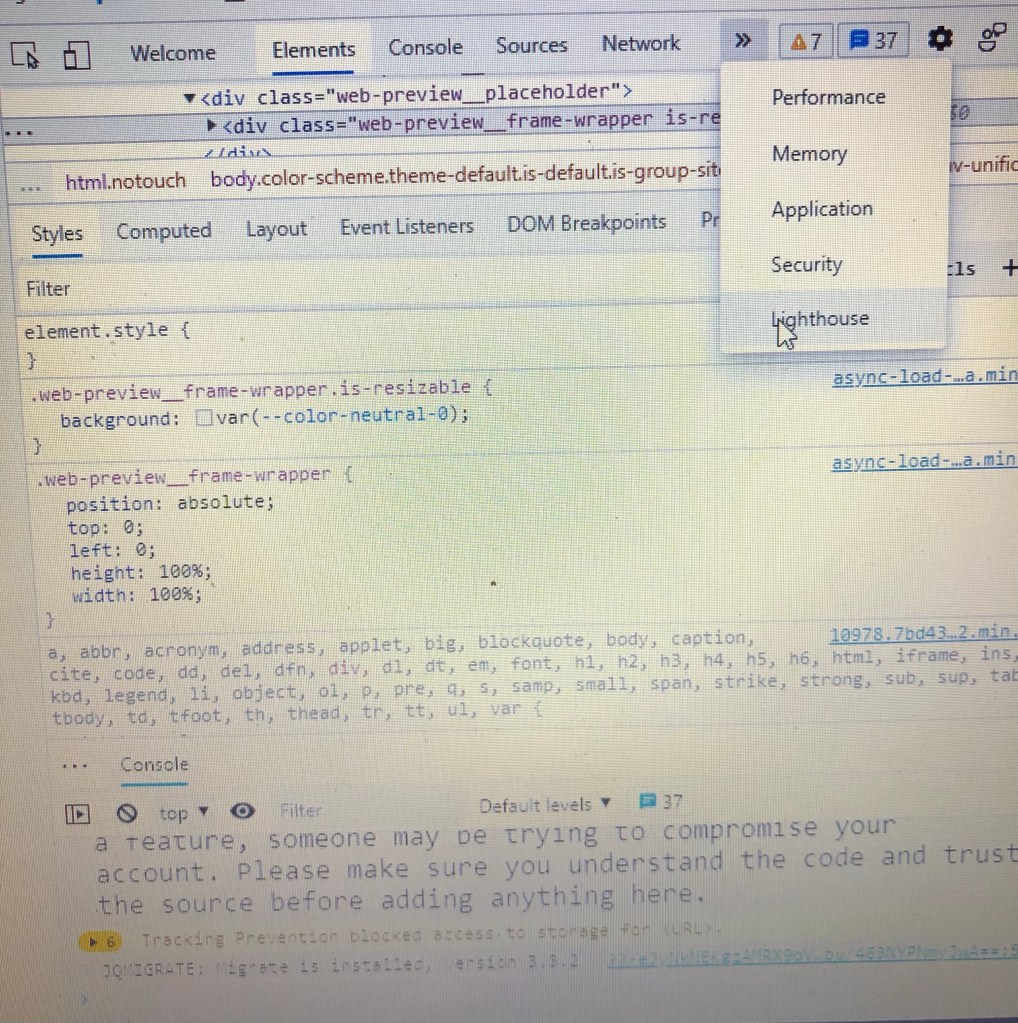
2. Select ‘lighthouse’ from the right-hand side of the menu page.
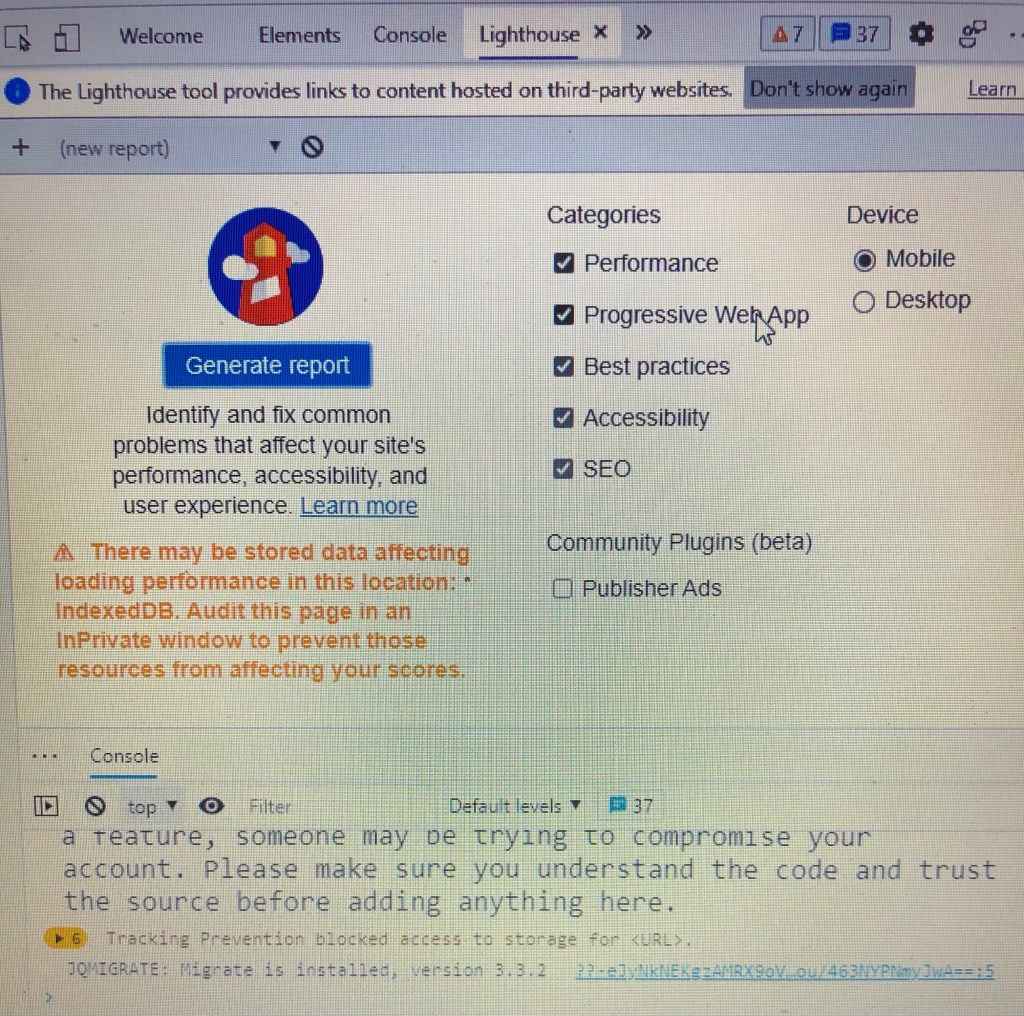
3. You can select ‘generate report.’
4. Your report will generate and then load with these stats.

Once you have the report the insights offer you ways to improve performance for example cutting excess codes to speed up your site. If you are using a third party to host your website bear in mind this can alter your results and give you a lower/higher score depending on your host.
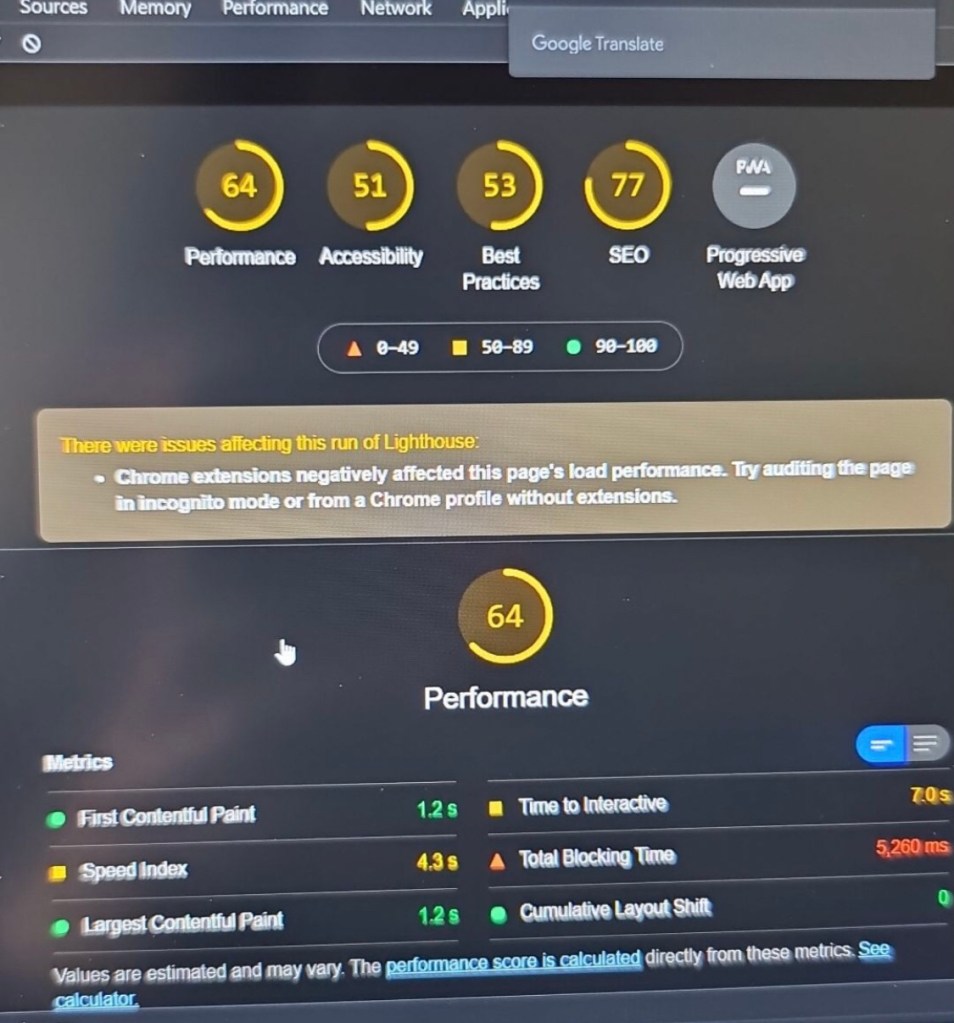
You can see from the 2 examples above that accessibility and best practices are essential components of a website. The above example is low on all categories but can be improved by simple tweaks which are detailed in the report. It’s also helpful as it’s a traffic light signal system so the worst scoring will be red then amber and finally a good score will be green.
Try it for yourself before hiring a third party to improve your site performance, you may save yourself some money!
3. Accessibility
Another core function should be accessibility, it is intertwined in part with usability but focuses more on imagery, colours and fonts. It is referred to as User Interface or UI. UI is based around making the user’s experience on your site easy and intuitive with as little effort on the user’s part to navigate through the site as possible.
Titles, Images, fonts and colour should cater to everyone including people with visual impairments. As a quick guide; Margins should be clear and concise, fonts should be clear, colours should be complementary with one another and contrast to help with standing out.
4. Loading Times
As mentioned above speed is essential to a website even a few seconds can make the difference between users abandoning your site for the next competitor or not using it altogether. Speed loading time for pages and links (that work!) people don’t like waiting for websites to load! Images and text should also load quickly all at the same time you can also check this through the ‘lighthouse report’ I mentioned above.
5. Content not being consistent
I’ve mentioned content before but it really is a core part of any marketing. If you want to be noticed you have to have good quality content! Content that doesn’t make sense or excess pages that all lead to the same page with repetitive imagery or text will not work if you want to reach a large number of authentic users.
Your website should be clear with your name/logo and description of what you do as understandable as possible. High quality imagery and content can really make a massive difference to the views of your site and overall quality of interaction.
A great resource if you are interested in UX and UI from the technical perspective is Homepage – Material Design
You don’t need to reinvent the wheel! Use the tools and knowledge that are already available to you!
If you have any suggestions on what you would like me to post about please leave a comment below!
Thanks for reading! Take Care!
 Marketing Explained